
Forecast Commander
Claude connectorCommunityAsk about your forecast, budgets and spending, and have Claude add transactions, bills and budgets that you approve with one click.
Forecast Commander shows where your money is headed, day by day, and Claude can now work with it.
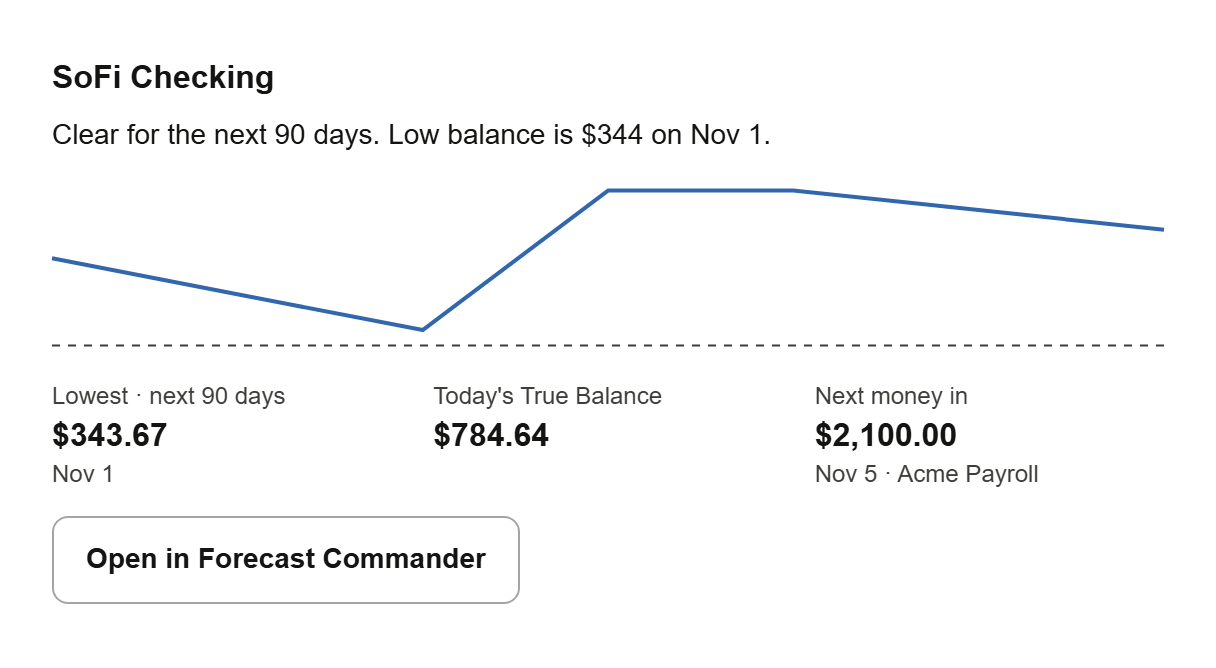
Ask how an account looks and you get the same summary as your Command Center: the forecast's low point, today's balance and the next money coming in. Ask whether you can afford something, what's due this week, how a budget is doing, or where your money went last month.
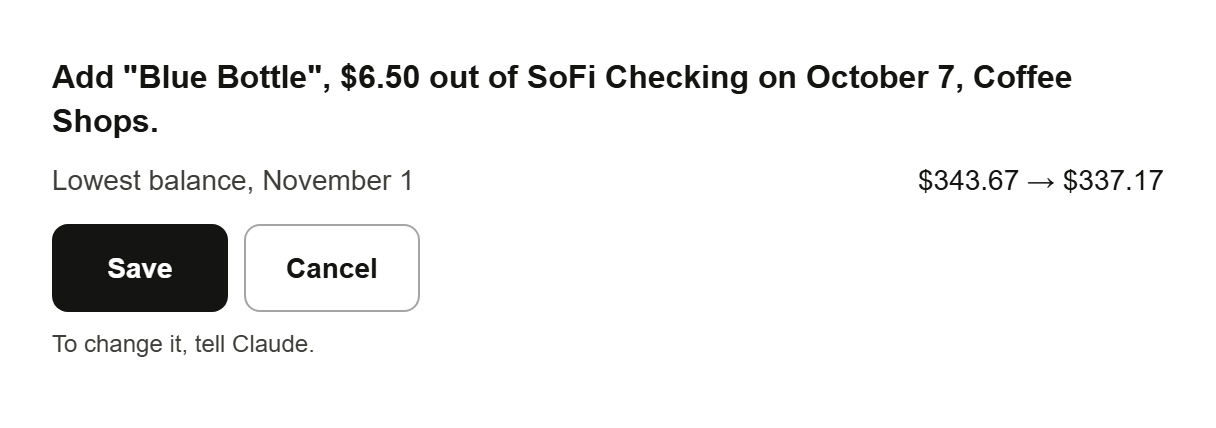
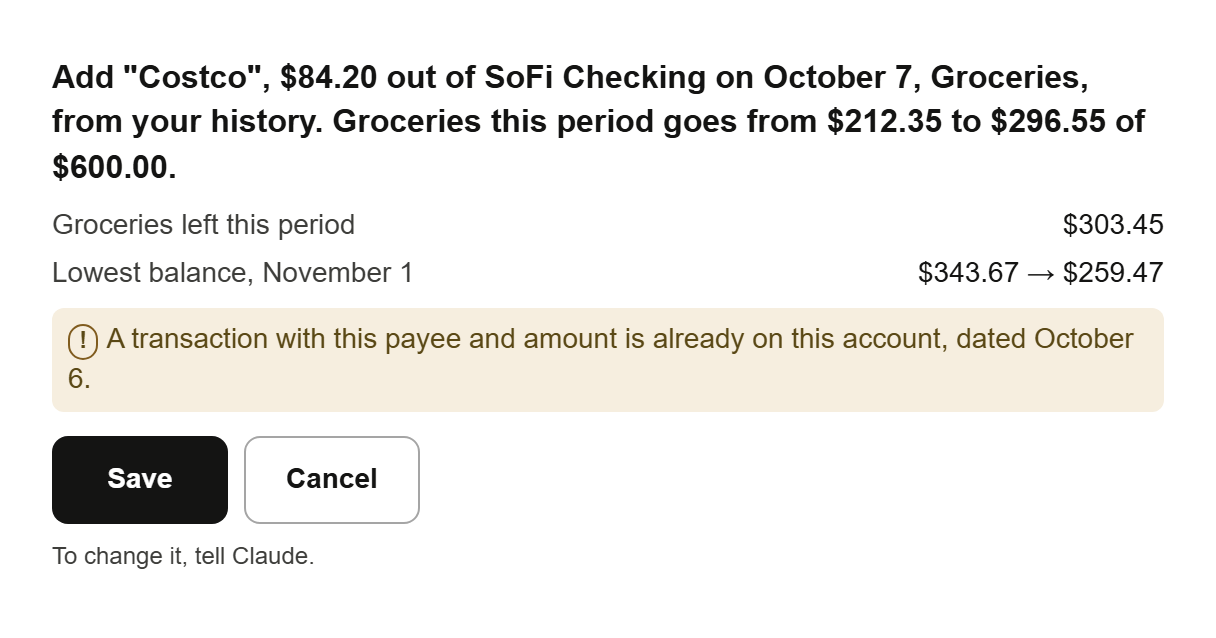
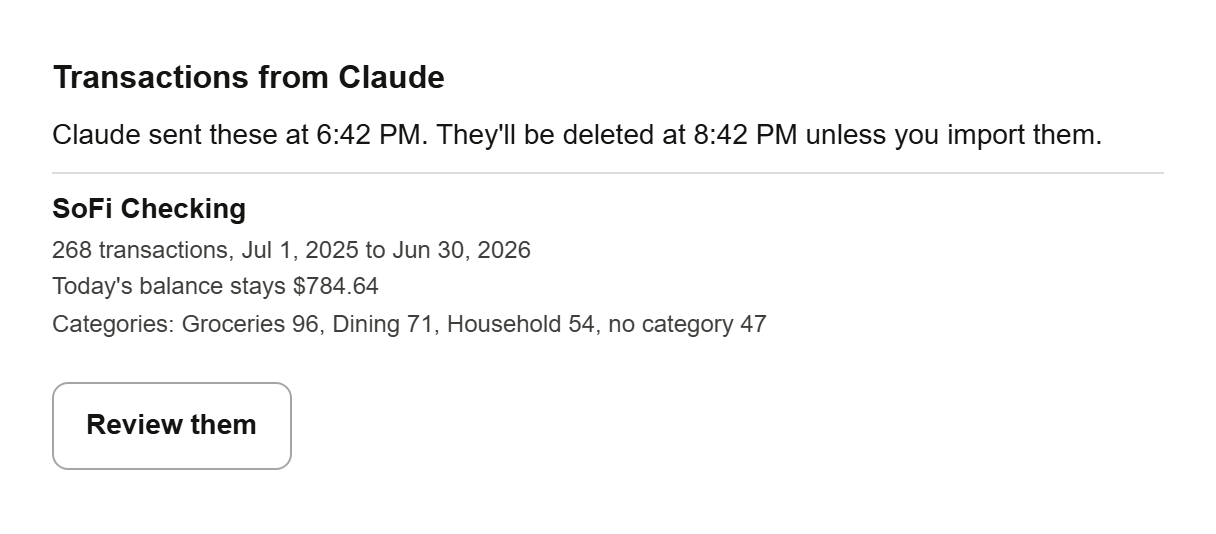
Claude can also add things for you: a transaction or a receipt, a buy-now-pay-later plan, a bill, subscription or paycheck, and budget amounts and categories. Each one is checked first: Claude shows it in a card with what it does to your forecast, and nothing is saved until you press Save. You can undo a change for 7 days. Claude can also send an account’s recent transactions to catch it up, or older history from a file. Those wait in Forecast Commander for you to review, and nothing is saved until you finish there.
You choose what Claude can do when you connect, from just answering questions to managing your budget and bills, and you can change or remove the connection anytime in Forecast Commander's Settings. Claude can't see your password, change your email, billing or security settings, or delete your account. Forecast Commander can't move money, so neither can Claude.
You need a Forecast Commander account. It's free for 35 days, with no card.
- Tools
- 25
exposed by this connector
Movement
From our daily snapshots over the last 30 days.
Rank by popularity
Not enough data points to chart.
Rank by trending score
Popularity score
Not enough data points to chart.
Trending score
In its categories
How this connector compares with others in the same category. Positions are counted within the category, not across the whole directory.
Productivity3,830th of 4,005 by popularity · not ranked by trending score

This connector isn’t ranked by trending score, so the category’s top connectors are shown instead.
| # | Connector | Trending | Popularity | 7d |
|---|---|---|---|---|
| 1 |  Watch Any Video Watch Any Video | 4,718,560 | 10,415 #607 | — |
| 2 | 4,208,811 | 13,413 #256 | — | |
| 3 |  Intuit Developer Intuit Developer | 1,059,790 | 12,502 #339 | — |
| 4 |  Statz Statz | 483,976 | 7,129 #1331 | 71places up |
| 5 | 483,162 | 7,827 #1124 | 563places up |
Financial services955th of 990 by popularity · not ranked by trending score
| # | Connector | Popularity | Trending | 7d |
|---|---|---|---|---|
| 953 | 1,000 | — | — | |
| 954 |  Fleek for Business Fleek for Business | 1,000 | — | 958places down |
| 955 | 1,000 | — | — | |
| 956 | 1,000 | — | 958places down | |
| 957 | 1,000 | — | 958places down |
This connector isn’t ranked by trending score, so the category’s top connectors are shown instead.
| # | Connector | Trending | Popularity | 7d |
|---|---|---|---|---|
| 1 | Intuit Developer | 1,059,790 | 12,502 #103 | — |
| 2 | 507,188 | 7,845 #315 | — | |
| 3 |  Etherscan Etherscan | 450,704 | 13,335 #77 | 10places down |
| 4 |  etoro etoro | 391,889 | 11,322 #155 | 1,028places up |
| 5 | 337,161 | 11,549 #143 | — |
Screenshots
Example prompts
- “How does my checking account look?”
- “Add a $6.50 coffee at Blue Bottle to checking.”
- “I paid $84.20 at Costco today.”
- “Import these transactions from my bank's file.”
Tools
- add_catch_up_rows
- add_import_rows
- check_purchase
- find_transactions
- get_budget_status
- get_change
- get_change_for_card
- get_forecast
- get_overview
- get_spending
- get_upcoming
- list_bills
- list_categories
- list_payees
- preview_bill
- preview_budgets
- preview_catch_up
- preview_categories
Show all 25Show fewer
- preview_import
- preview_installment_plan
- preview_transaction
- save_change
- start_catch_up
- start_import
- undo_change
- Categories
- Made by
- Forecast Commander · Website
- Sign-in
- Required
- Connector URL
- https://app.forecastcommander.com/api/mcp
- Transport
- Streamable HTTP
- Permissions
- Reads your accounts, balances, forecast, bills, budgets, goals and transactions. With your permission it can add transactions, buy-now-pay-later plans, bills, budgets and categories. Each one is shown in a card, saved only when you press Save, and can be undone for 7 days. It can also send an account’s transactions, recent ones to catch it up or older history, for you to review in the app, and nothing is saved until you finish there. It can’t move money, see your password, or change your email, billing or security settings.
- Works with
- Claude, Claude Desktop
- Handles
- financial records
- Added
- October 10, 2026
- More info
- Sponsorship
- Promote this connector