
Screen Browser
Claude connectorCommunityNarrated demo and tutorial videos of your web app, from a guide or your coding agent.
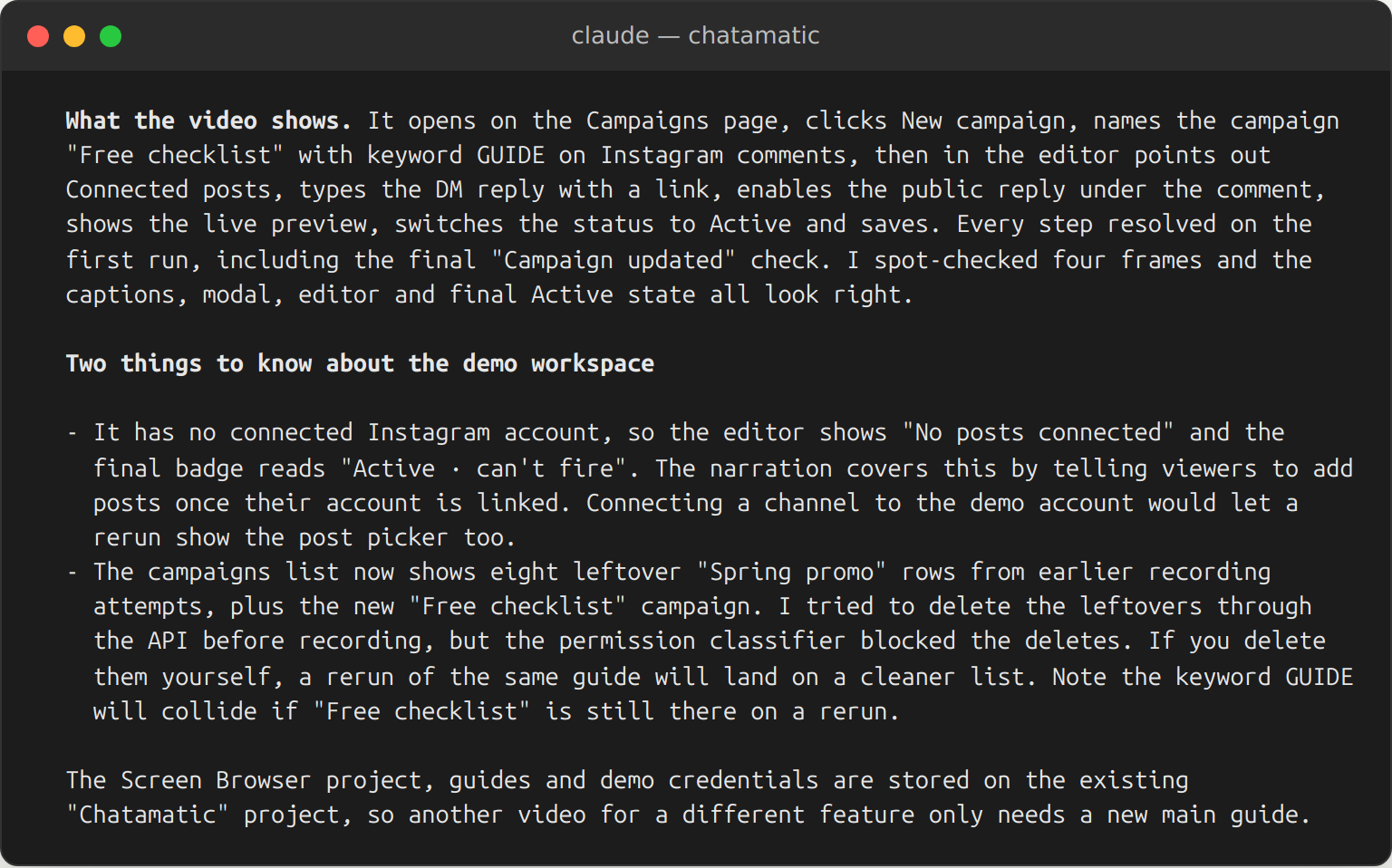
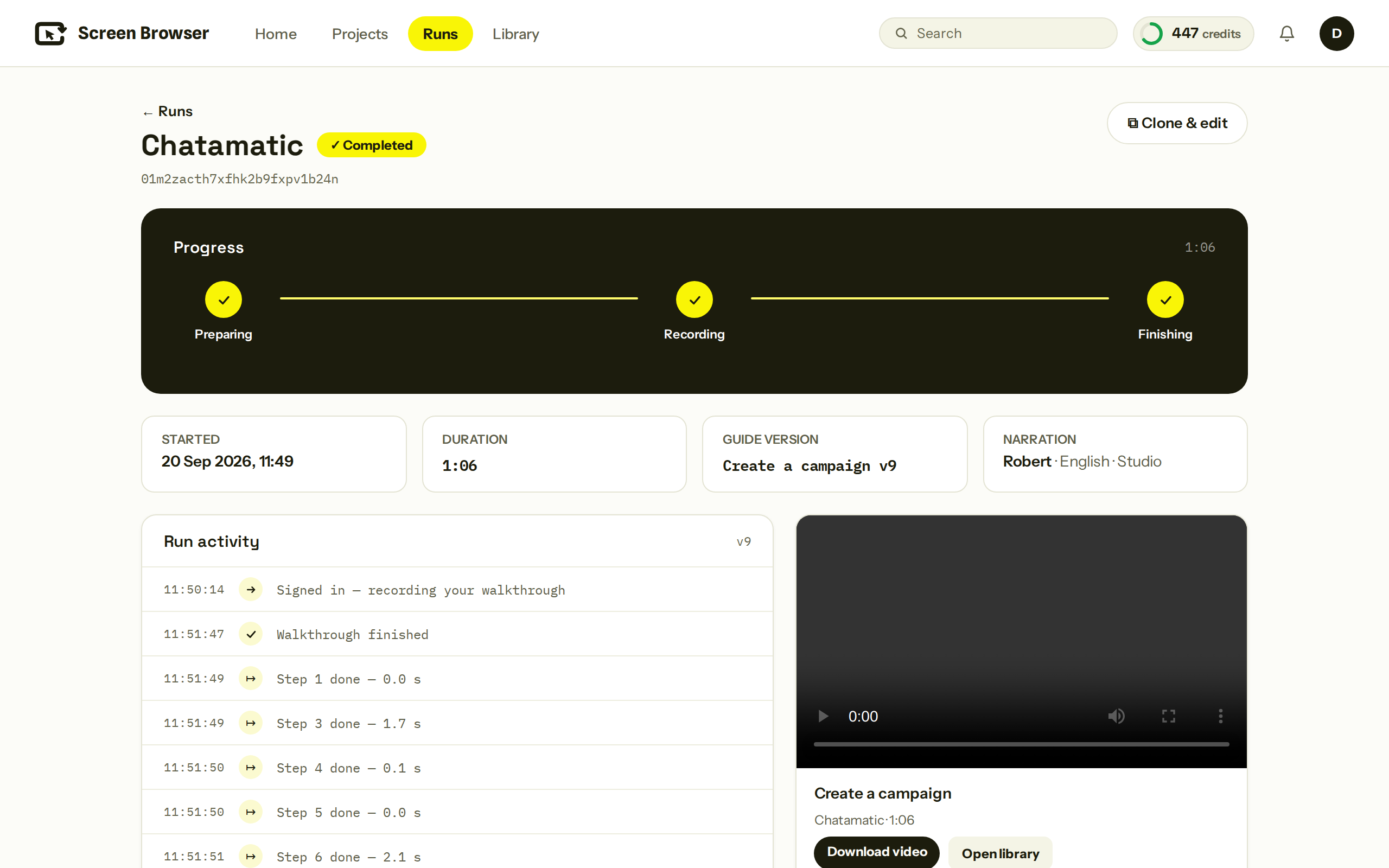
Screen Browser records narrated demo and tutorial videos of your deployed web app. You describe the walkthrough in plain language, or let your coding agent write it from your source code. A real browser signs in with a demo account, follows the guide step by step, records the screen, narrates it and adds on-screen effects. You get an MP4 plus a GIF, subtitles, chapters and a thumbnail, and a webhook or the API can deliver them wherever you publish. When the app changes, edit a line and rerun.
Narration is synthesised speech in 91 languages: the narration text is voiced by a text-to-speech model, using a stock voice or a voice the customer connects from their own text-to-speech account. Captions, chapters and on-screen labels are translated to match. The synthesised audio is only ever delivered composited into the recorded video. No tool in this connector returns a standalone audio file.
For coding agents, Screen Browser is an MCP server with a companion skill. The skill teaches the agent how to write guides that work on the first run; the server creates the project, validates the guide, starts the recording and returns the video. It works with any MCP client. Sign-in happens in the browser; there is no key to paste.
Paid plans are sized in minutes of finished video; there is no free plan. A run that fails is not charged, and checking a guide before recording is free.
A web app reachable over the internet, and a demo user that signs in with email and password: no OAuth, no two-factor codes, no captcha. Mobile means the app's mobile layout, not native apps. Videos are capped at five minutes. There is no free plan.
- Tools
- 14
exposed by this connector
Movement
From our daily snapshots over the last 30 days.
Rank by popularity
Rank by trending score
Popularity score
Trending score
4 listing changes logged · latest Oct 17: Description, Example prompts, Screenshots and 1 more. See what changed
In its categories
How this connector compares with others in the same category. Positions are counted within the category, not across the whole directory.
Productivity2,015th of 4,005 by popularity · not ranked by trending score
| # | Connector | Popularity | Trending | 7d |
|---|---|---|---|---|
| 2013 | 5,248 | 16,844 #835 | 206places down | |
| 2014 | 5,248 | — | 417places down | |
| 2015 | 5,248 | — | 244places down | |
| 2016 | 5,248 | — | 173places down | |
| 2017 | 5,248 | 7,608 #1429 | 244places down |
This connector isn’t ranked by trending score, so the category’s top connectors are shown instead.
| # | Connector | Trending | Popularity | 7d |
|---|---|---|---|---|
| 1 |  Watch Any Video Watch Any Video | 4,718,560 | 10,415 #607 | — |
| 2 | 4,208,811 | 13,413 #256 | — | |
| 3 |  Intuit Developer Intuit Developer | 1,059,790 | 12,502 #339 | — |
| 4 |  Statz Statz | 483,976 | 7,129 #1331 | 71places up |
| 5 | 483,162 | 7,827 #1124 | 563places up |
Developer tools696th of 1,310 by popularity · not ranked by trending score
| # | Connector | Popularity | Trending | 7d |
|---|---|---|---|---|
| 694 | 5,248 | — | — | |
| 695 | 5,248 | 16,844 #248 | 206places down | |
| 696 | 5,248 | — | 244places down | |
| 697 | 5,248 | 49,496 #41 | 173places down | |
| 698 | 5,248 | 13,322 #318 | 347places down |
This connector isn’t ranked by trending score, so the category’s top connectors are shown instead.
| # | Connector | Trending | Popularity | 7d |
|---|---|---|---|---|
| 1 |  Framer Framer | 35,616,504 | 12,702 #72 | — |
| 2 | Intuit Developer | 1,059,790 | 12,502 #76 | — |
| 3 |  Etherscan Etherscan | 450,704 | 13,335 #56 | 10places down |
| 4 | 262,839 | 7,229 #426 | 67places up | |
| 5 |  TEXT TO QUANT TEXT TO QUANT | 252,724 | 13,970 #45 | 26places down |
Sales and marketing931st of 1,696 by popularity · not ranked by trending score
| # | Connector | Popularity | Trending | 7d |
|---|---|---|---|---|
| 929 | 5,248 | — | 297places down | |
| 930 | 5,248 | 16,844 #391 | 206places down | |
| 931 | 5,248 | — | 244places down | |
| 932 | 5,248 | 49,496 #49 | 173places down | |
| 933 |  TrendsAGI TrendsAGI | 5,248 | — | 454places up |
This connector isn’t ranked by trending score, so the category’s top connectors are shown instead.
| # | Connector | Trending | Popularity | 7d |
|---|---|---|---|---|
| 1 | Framer | 35,616,504 | 12,702 #120 | — |
| 2 | Watch Any Video | 4,718,560 | 10,415 #268 | — |
| 3 | 4,208,811 | 13,413 #93 | — | |
| 4 |  Bird Bird | 235,514 | 14,588 #59 | 25places down |
| 5 |  Director's Lookbook Director's Lookbook | 218,042 | 8,397 #464 | — |
Creative319th of 533 by popularity · not ranked by trending score
| # | Connector | Popularity | Trending | 7d |
|---|---|---|---|---|
| 317 | 5,285 | 4,485 #240 | — | |
| 318 | 5,285 | — | 144places down | |
| 319 | 5,248 | — | 244places down | |
| 320 | 5,248 | — | — | |
| 321 |  BioFlow BioFlow | 5,209 | 22,294 #116 | 425places down |
This connector isn’t ranked by trending score, so the category’s top connectors are shown instead.
| # | Connector | Trending | Popularity | 7d |
|---|---|---|---|---|
| 1 | Framer | 35,616,504 | 12,702 #47 | — |
| 2 | 396,315 | 16,913 #12 | — | |
| 3 | 363,206 | 7,562 #204 | — | |
| 4 | 262,839 | 7,229 #221 | 67places up | |
| 5 | Director's Lookbook | 218,042 | 8,397 #168 | — |
Screenshots
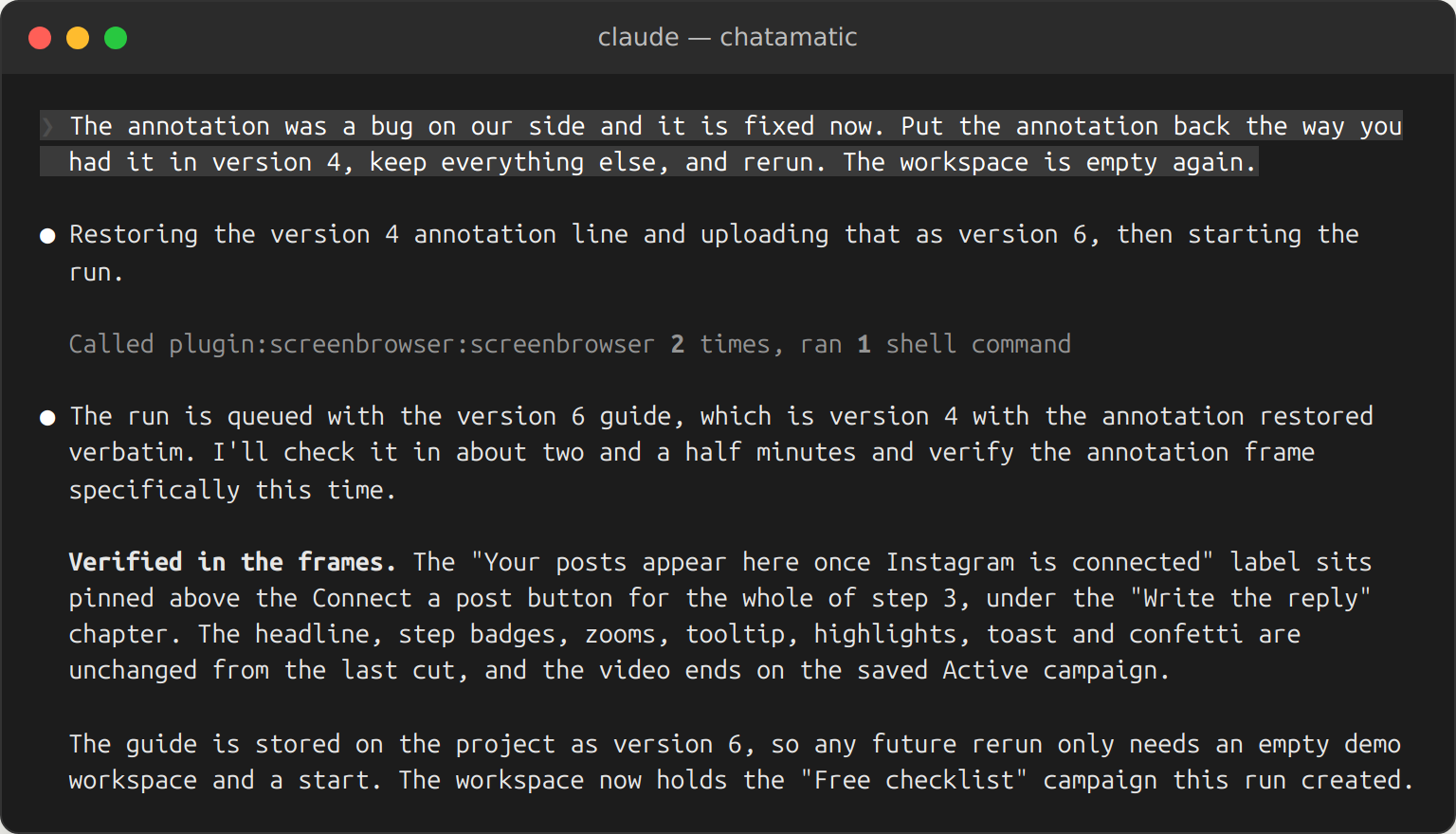
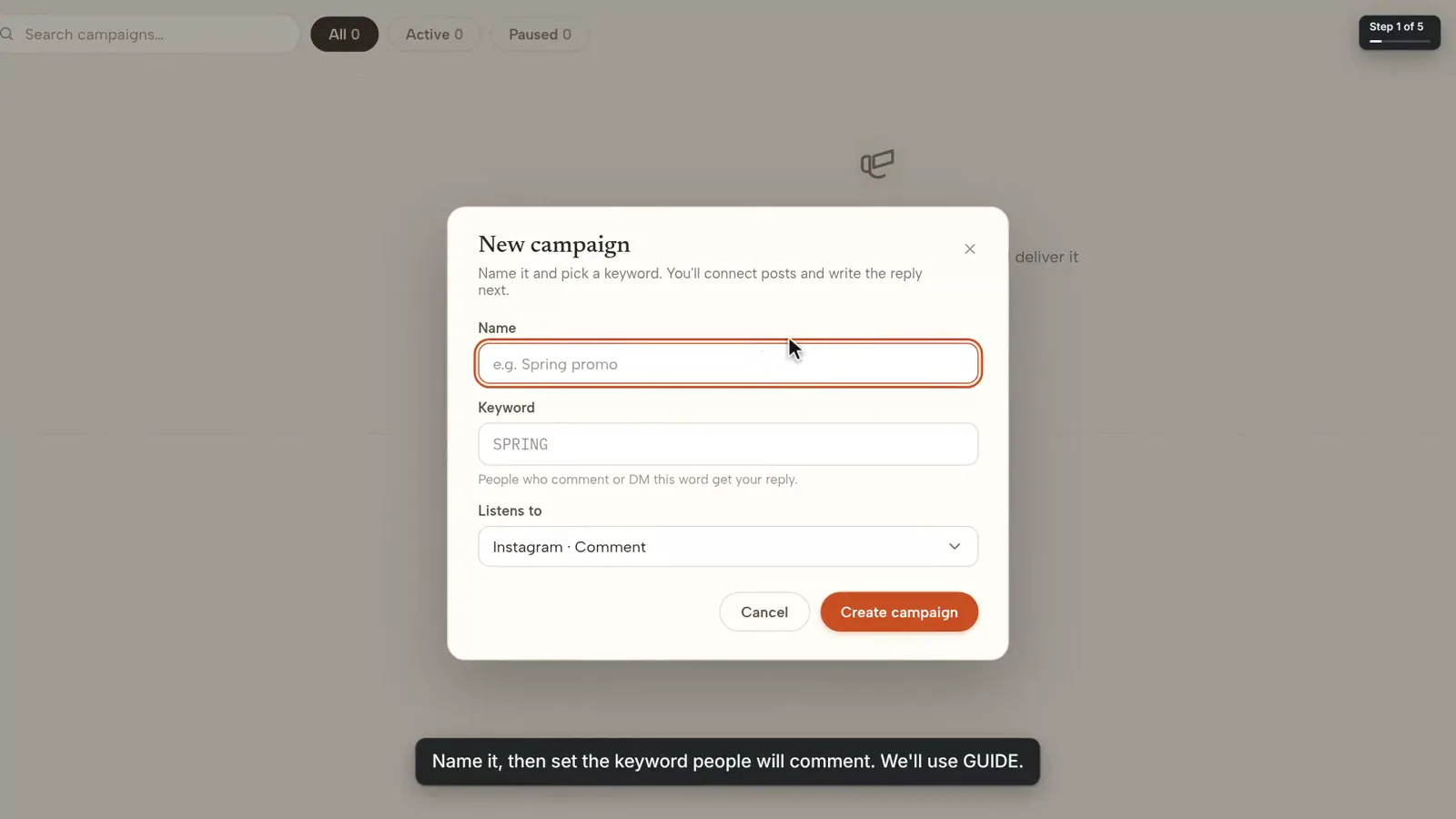
Example prompts
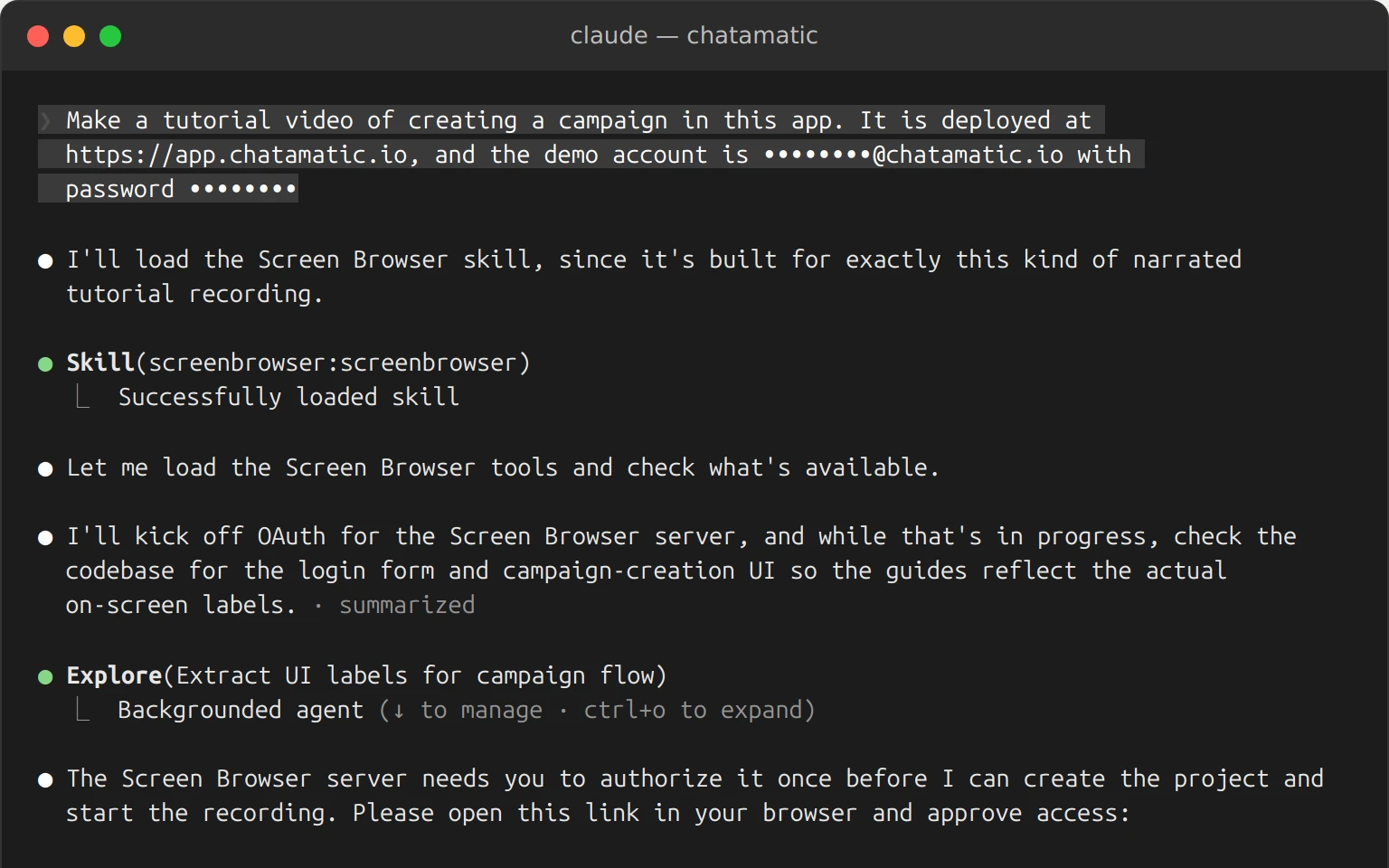
- “Make a tutorial video of creating a campaign in this app. It is deployed at https://app.chatamatic.io, and the demo account is ••••••••@chatamatic.io with password ••••••••”
- “Make a tutorial video of creating a campaign in this app. It is deployed at https://app.chatamatic.io, and the demo account is ••••••••@chatamatic.io with password ••••••••”
- “Make a tutorial video of creating a campaign in this app. It is deployed at https://app.chatamatic.io, and the demo account is ••••••••@chatamatic.io with password ••••••••”
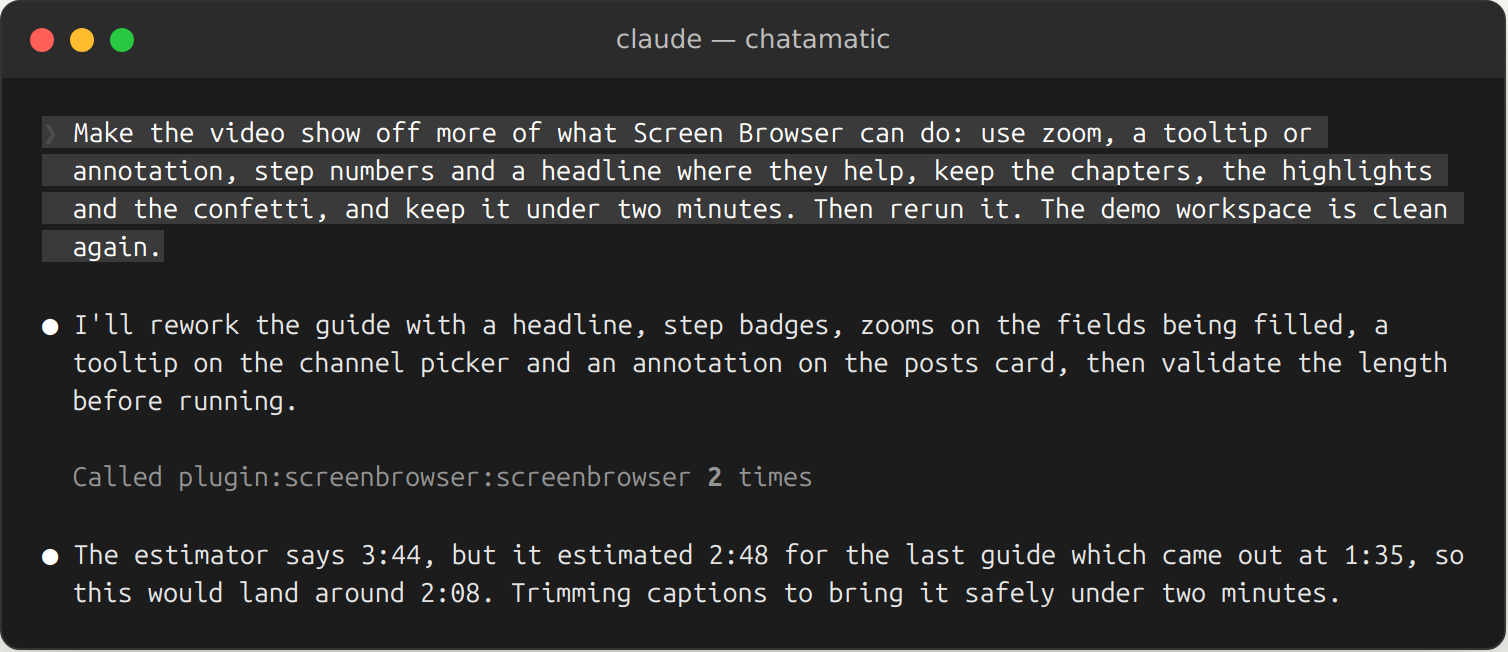
- “Make the video show off more of what Screen Browser can do: use zoom, a tooltip or annotation, step numbers and a headline where they help, keep the chapters, the highlights and the confetti, and keep it under two minutes. Then rerun it.”
- “Make the video show off more of what Screen Browser can do: use zoom, a tooltip or annotation, step numbers and a headline where they help, keep the chapters, the highlights and the confetti, and keep it under two minutes. Then rerun it.”
- “Make the video show off more of what Screen Browser can do: use zoom, a tooltip or annotation, step numbers and a headline where they help, keep the chapters, the highlights and the confetti, and keep it under two minutes. Then rerun it.”
Tools
- cancel_run
- create_project
- get_credits
- get_run
- list_projects
- list_runs
- list_voices
- put_guide
- put_variables
- report_run_failure
- start_run
- top_up
- update_project
- validate_guide
Prompts
- write-tutorial-guide
- Made by
- Screen Browser · Website
- Sign-in
- Required
- Connector URL
- https://mcp.screenbrowser.com/
- Transport
- Streamable HTTP
- Works with
- Claude, Claude API, Claude Code, Claude Desktop
- Added
- September 26, 2026
- More info
- Sponsorship
- Promote this connector